Steam inventory.
See what yours is worth.

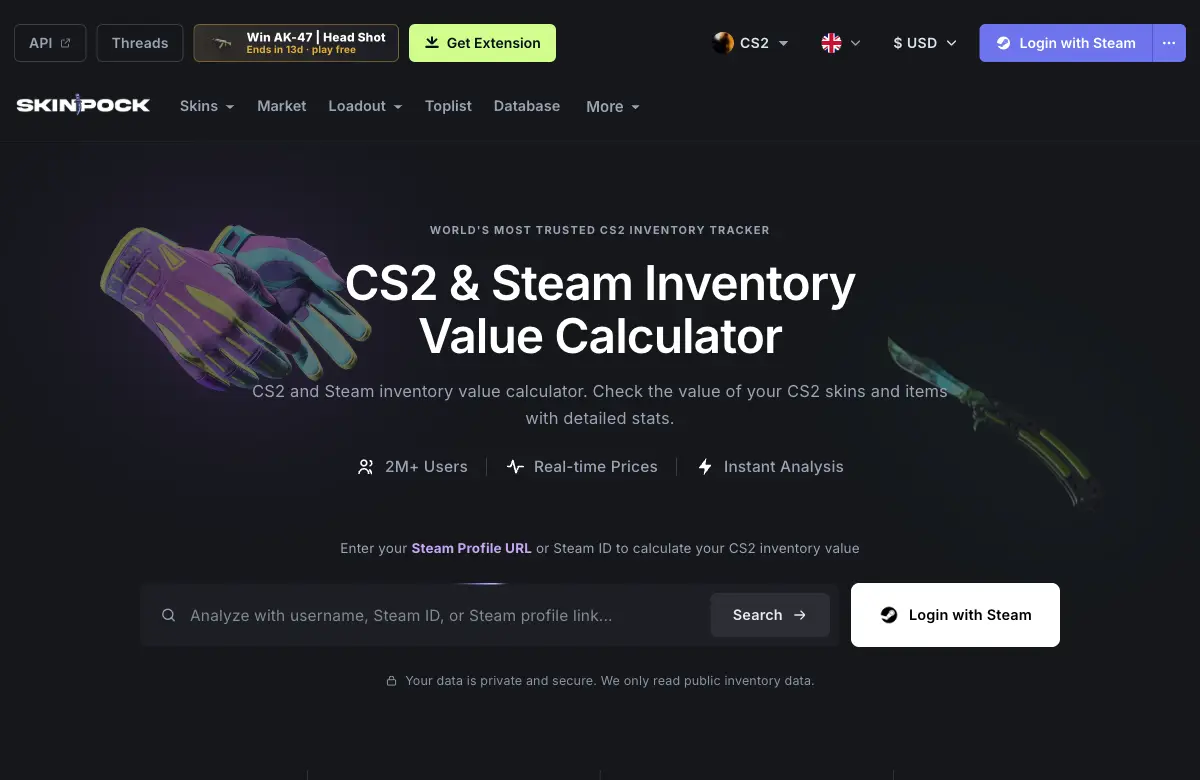
Looking for a Steam inventory calculator? Check your items on Skinpock, a live product powered by SteamWebAPI.

Enter your Steam profile URL or SteamID on Skinpock. Public inventories only.

skinpock.comOpen calculator
Skinpock Steam inventory calculator with a Steam profile search field and CS2 skin previews
A working example of an inventory product built with our API.

What is a Steam inventory?

Your Steam inventory holds items associated with Steam and individual games: CS2 skins and cases, Dota 2 cosmetics, Rust items, TF2 items and more. Each game has its own inventory and its own item rules.

A Steam inventory calculator reads those items, finds available prices and estimates their combined value. It can also show item details, compare markets and track changes over time.

That estimate is the value of supported inventory items. It is separate from the cost of your game library or the value of a Steam account.

Check your Steam inventory value

  1. Find your profile. Copy your Steam Community profile URL or SteamID. You can view items directly under Inventory on your Steam profile.
  2. Make the inventory public. Public calculators can only retrieve items Steam makes visible.
  3. Open Skinpock. Enter your profile, choose a supported game and inspect the estimated value and individual items.
Go to Skinpock

From an API to a product people use.

See the player experience, then explore the code behind a simple calculator.

Source code example

Next.js inventory calculator

Our public example project shows an inventory lister and worth calculator built with Next.js and SteamWebAPI. Use it to understand the request flow and how item data becomes an inventory interface.

Review the current API documentation when adapting the example to your own application.

Explore the example on GitHub

Build your own Steam inventory calculator.

Your product owns the interface and valuation rules. SteamWebAPI supplies the inventory data and available prices, so you can build a calculator, portfolio tracker or marketplace inventory view.

Your product needsStart withWhat it adds
Items & a basic valuationStart hereSteam Inventory APIGET /steam/api/inventoryItem identities, quantities, trade status and available Steam and marketplace price fields.
Market comparison & catalogsMarketplace Price APIGET /steam/api/itemsCatalog-wide pricing and selected marketplace data. Inventory requests also support detailed prices through with_prices and markets.
Profile detailsSteam Profile APIGET /steam/api/profileAvailable profile identity and avatar data for a recognizable inventory page.
Historical item valuationsPrice historyPOST /steam/api/items/historyHistorical price data for supported items. Save inventory snapshots separately to track changes in what a user owns.

A basic calculator can start with one endpoint. Parsed inventory responses already include supported price fields. Add the other APIs when your product needs them, rather than making a separate price request for every item.

How an inventory calculator works

Keep the data flow simple and the value understandable.

  1. 1

    Identify the inventory

    Accept a SteamID or supported profile identifier and choose a game, such as cs2, dota, rust or tf2.

  2. 2

    Fetch items on your server

    Call the Inventory API with your key. Retrieve all pages for large inventories and keep account-level errors separate from empty results.

  3. 3

    Choose a price basis

    Use one currency and a consistent price source. Multiply each available unit price by its item count, then sum the priced items.

  4. 4

    Show the estimate clearly

    Display the source, update time, missing prices and trade status. Store dated inventory snapshots if you want a portfolio history.

Request a public CS2 inventory Server side
curl --include --get \
  'https://www.steamwebapi.com/steam/api/inventory' \
  --data-urlencode 'key=YOUR_API_KEY' \
  --data-urlencode 'steam_id=76561198000000000' \
  --data-urlencode 'game=cs2' \
  --data-urlencode 'currency=USD' \
  --data-urlencode 'select=assetid,markethashname,count,pricelatest,tradable'
Simplified response Illustrative prices
[
  {
    "markethashname": "AK-47 | Redline (Field-Tested)",
    "count": 1,
    "pricelatest": 25.00,
    "tradable": true
  },
  {
    "markethashname": "Revolution Case",
    "count": 3,
    "pricelatest": 0.50,
    "tradable": true
  }
]

The calculation

Estimated value = sum of item quantity × chosen unit price.

1 × $25.00 + 3 × $0.50 = $26.50

Example values only, not current market prices. Use decimal arithmetic or integer minor units, and round for display.

Keep your API key on your server. For large inventories, follow the returned last_assetid header with start_assetid until there is no continuation. A total calculated from one partial page is only a subtotal.

Cache results for your product's freshness needs, respect your plan's limits and handle unavailable Steam data explicitly. For scheduled portfolio updates, /steam/api/inventory/batch accepts up to 20 SteamIDs per request.

A useful value needs context.

Steam inventory worth is an estimate based on the items you can see and the prices you select. A good calculator makes those choices visible.

Read the inventory valuation overview

Steam value and marketplace value

Steam Market prices and third-party listing prices serve different purposes. Label them separately. A listing-based estimate does not guarantee a sale, a cash-out amount or the proceeds after fees.

Missing prices and rare items

Show unpriced items separately instead of silently treating them as worthless. CS2 float, patterns, stickers and Doppler phases can affect an individual item's value. Where supported, with_phase_price=1 applies available phase-specific prices.

Trade-protected items still belong to the user

Enable try_first_seven_days_blocked_items=1 to attempt detection of trade-protected CS2 items that ordinary inventory responses may omit. It costs an additional credit and can fall back to the regular inventory. Include detected items in ownership views while keeping them out of immediate-trade workflows.

tradeprotectedmaxdays counts down from our first detection, not from Steam's actual protection start. We may first see an item with six days really remaining and initially report seven. Use the item's status fields to determine tradability.

Inventory history needs inventory snapshots

Price history alone does not reveal what a player owned last month. Save the item quantities, valuation source, currency and observation time so portfolio changes remain explainable.
Steam inventory questions, answered.

How do I find my Steam inventory?

Open your Steam Community profile and select Inventory, then choose the game. To check an estimated inventory value, open Skinpock and enter your Steam profile URL or SteamID. Your inventory must be public for a public lookup.

How can I check my Steam inventory value?

Skinpock is a ready-to-use Steam inventory calculator powered by SteamWebAPI. It combines supported inventory items with available Steam and marketplace prices. Developers can build their own calculator using the Inventory API and a consistent price source.

Can I check another player's Steam inventory?

A public inventory can be looked up using its owner's SteamID or profile URL. Public lookups cannot read a private inventory. An unavailable or private inventory should be shown as unavailable, not as an inventory worth zero.

Why do Steam inventory calculators show different values?

Calculators can use different marketplaces, currencies, update times and valuation rules. Steam Market prices differ from third-party listing prices. Fees, liquidity and item-specific details can also affect the amount a seller actually receives.

Does Steam inventory value include my games?

Inventory value covers supported items held in game inventories, such as skins, cases and other marketable items. It does not include the purchase price of your game library, playtime, badges or a resale value for your Steam account.

Which API do I need to build an inventory calculator?

Start with GET /steam/api/inventory. Parsed responses can already include item quantities and price fields, so a basic calculator does not need a separate price request for every item. Add catalog, marketplace, profile or price-history endpoints when your product needs those features.

Can trade-protected CS2 items be included?

Yes. Request try_first_seven_days_blocked_items=1 to attempt detection of trade-protected items in a public CS2 inventory. This option costs an additional credit and can fall back to the regular inventory. Keep ownership value separate from items that are currently tradable.

Is tradeprotectedmaxdays the exact time until an item unlocks?

No. It is a conservative day count based on when SteamWebAPI first detected the protected item. We store that observation and count down from seven days. Protection may have started earlier, so the actual remaining time can be shorter. The value alone does not establish tradability.

Your inventory. Or your next product.

Open Skinpock to check a collection. Use SteamWebAPI to build the experience your users need.